wkhtmltopdf today · Compare
wkhtmltopdf for Odoo 20
Odoo 16 to 20 print their reports with wkhtmltopdf, and Odoo 20 runs on Ubuntu 24.04, Debian 13 and Ubuntu 26.04. We installed Odoo 20 on each and printed six of its standard documents with every engine that installs there.
What prints where
A quotation, an invoice, an invoice of 36 lines over three pages, two invoices in one PDF, a delivery slip and a purchase order, from Odoo’s demo data in its default layout, printed through Odoo’s own route, as its Print button does.
| Engine | Ubuntu 24.04 | Debian 13 | Debian 13 ARM64 | Ubuntu 26.04 |
|---|---|---|---|---|
Ubuntu’s wkhtmltopdf package | No header or footer, text drawn as outlines; Odoo refuses two invoices in one PDF without patched Qt | No package | No package | No package |
| wkhtmltopdf 0.12.6, official package of May 2023 | 6 of 6 | 6 of 6 | 6 of 6 | 6 of 6 |
| Paper Muncher, Odoo’s own engine | 6 of 6 | 6 of 6 | No package | 6 of 6 |
| PDFKiln | 6 of 6 | 6 of 6 | 6 of 6 | 6 of 6 |
6 of 6: every document printed, with its header and its footer on every page. PDFKiln was also measured with Odoo in multi-process mode (--workers 2), as in production: 6 of 6 on each system.
How the pages look
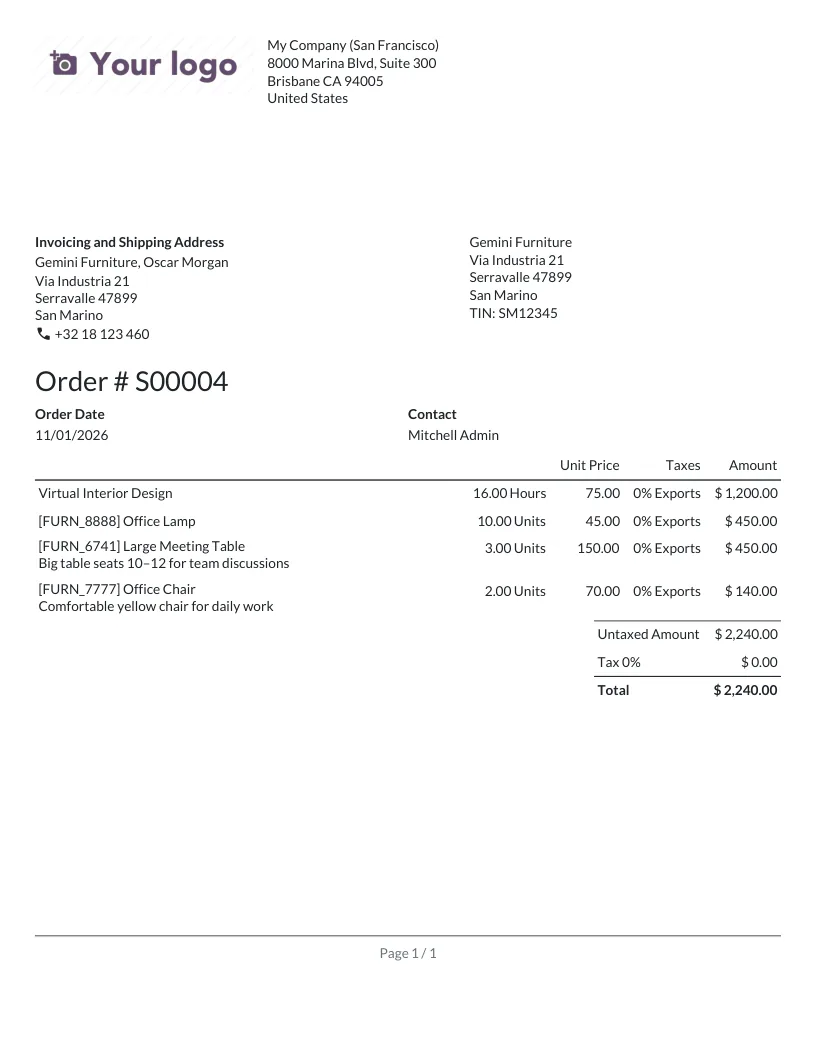
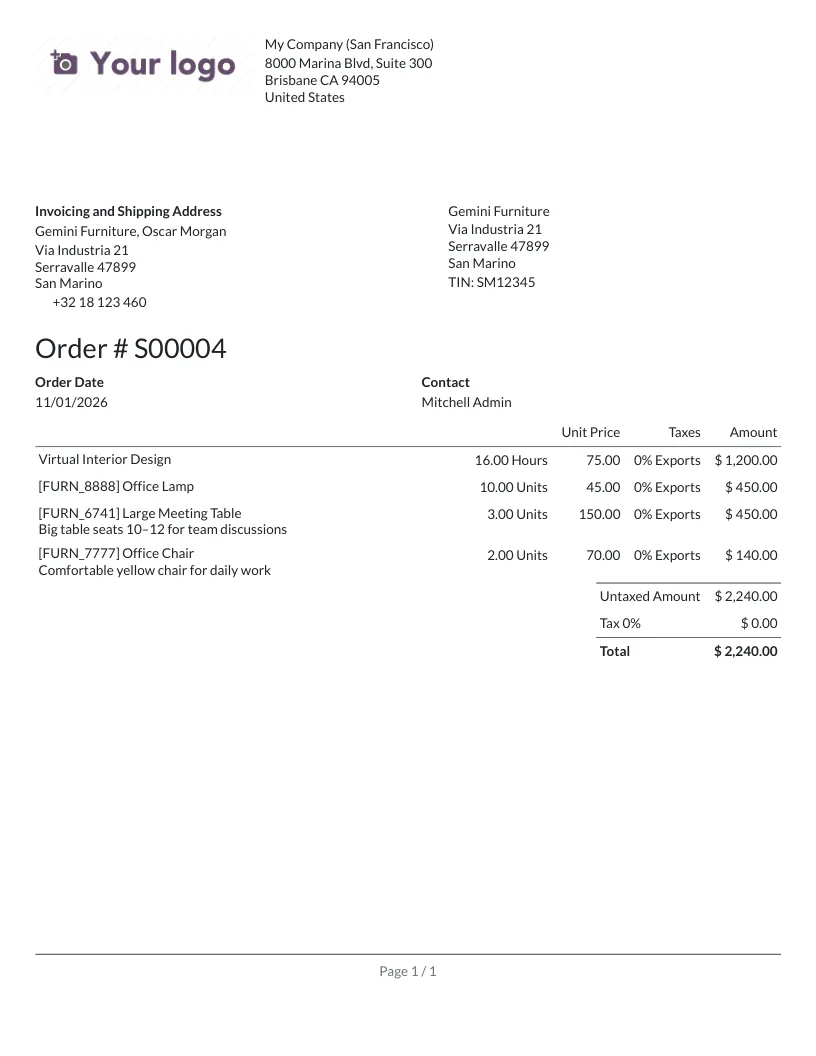
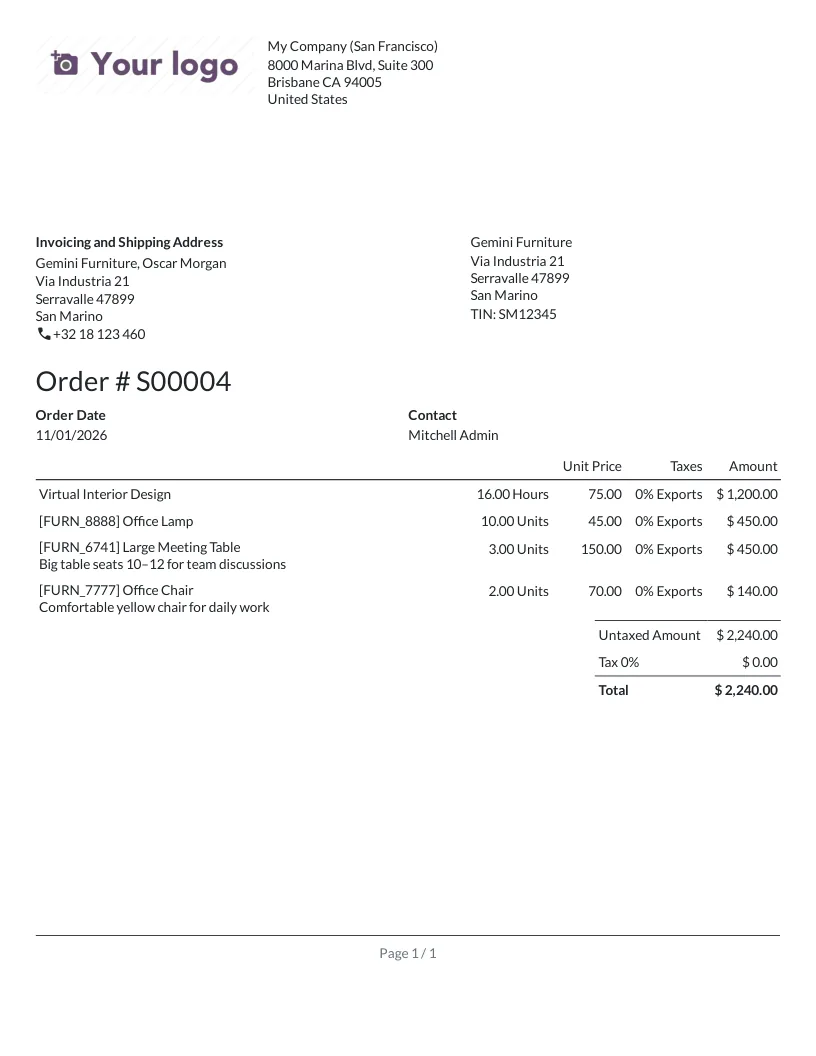
The quotation on Debian 13. PDFKiln keeps wkhtmltopdf’s layout. Paper Muncher moves the body up and the footer down, and leaves out the telephone icon, a glyph of an icon font.
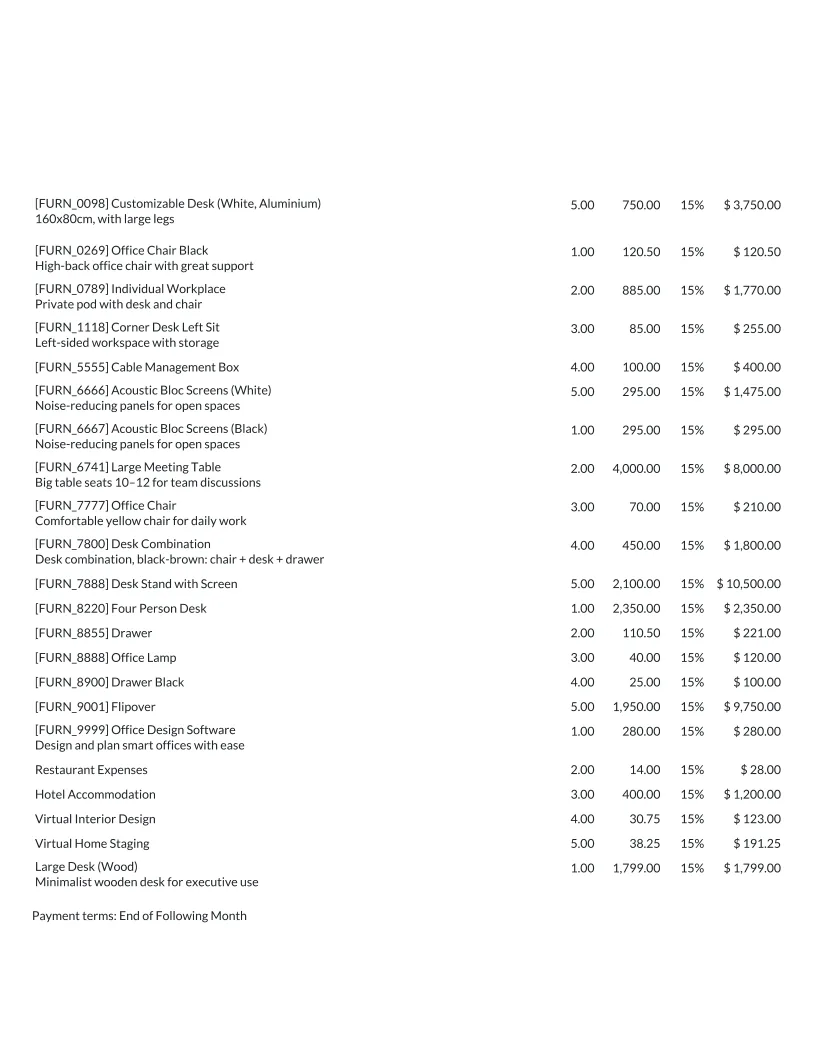
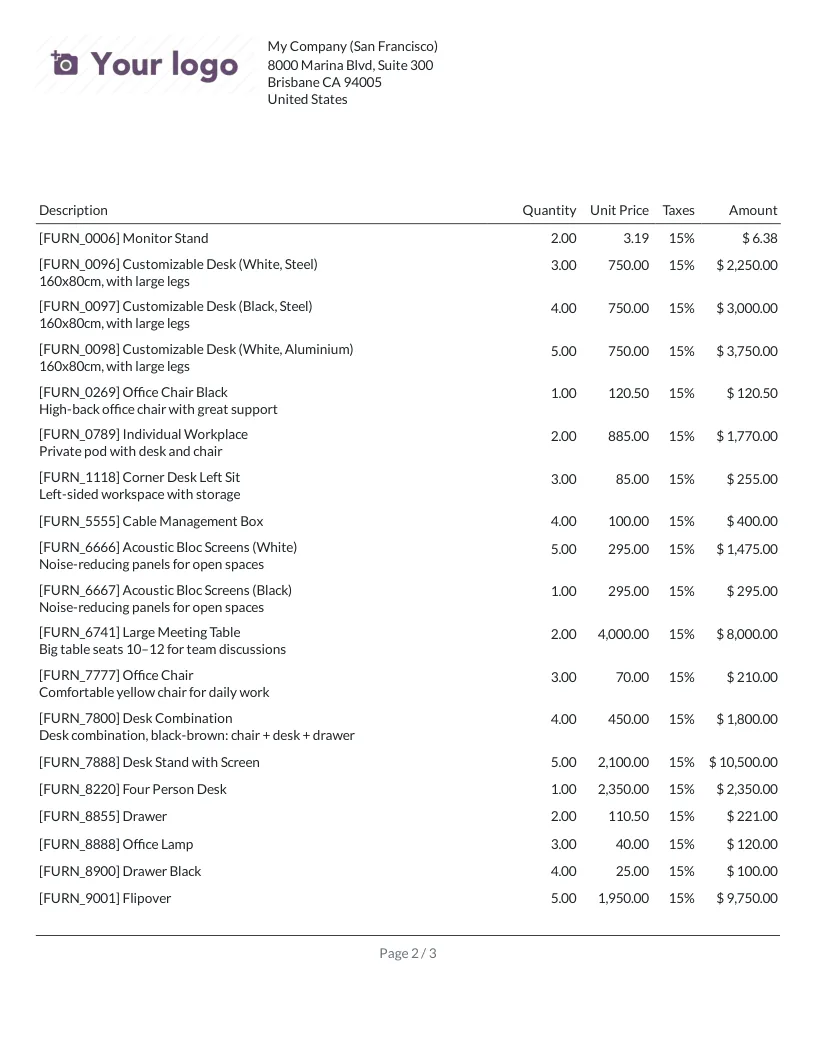
Page 2 of the 36-line invoice on Ubuntu 24.04. Ubuntu’s package, built without wkhtmltopdf’s patched Qt, prints neither the header, nor the column titles, nor the page number, and draws the text as outlines: it can be neither selected nor searched. PDFKiln prints all three, as wkhtmltopdf 0.12.6 does.
How long a print takes
Median of the six documents, from Odoo’s request to the PDF, with Odoo’s default server:
| System | wkhtmltopdf 0.12.6 | Paper Muncher | PDFKiln |
|---|---|---|---|
| Ubuntu 24.04 | 2.31 s | 1.11 s | 1.20 s |
| Debian 13 | 2.25 s | 0.85 s | 0.98 s |
| Debian 13 ARM64 | 2.29 s | No package | 1.04 s |
| Ubuntu 26.04 | 2.20 s | 0.70 s | 0.88 s |
Odoo asks for 1,000 ms of JavaScript before printing: wkhtmltopdf always waits it whole, PDFKiln stops once nothing can change the page. Paper Muncher is faster still. One run per system, on GitHub’s virtual machines.
Paper Muncher
Odoo 20 ships its own engine, Paper Muncher, in the base_report_paper_muncher module. wkhtmltopdf stays the default: Paper Muncher is chosen report by report in developer mode, or for all with the report.pdf_engine_default system parameter. Its README calls it early alpha, and its packages are for amd64 only.
The 2023 package still installs
wkhtmltopdf’s last official packages, 0.12.6.1-3 of 22 May 2023, were built for Debian 12 and Ubuntu 22.04. The Debian 12 package still installs on Debian 13, the Ubuntu 22.04 one on Ubuntu 24.04 and 26.04, and they print these documents. They get no fix any more: the packaging repository is archived, and CVE-2022-35583 stays open. PDFKiln brings Chromium’s fixes with apt upgrade.
Switch to PDFKiln
The signed APT repository installs /usr/bin/wkhtmltopdf in place of the wkhtmltox package:
curl -fsS https://apt.pdfkiln.org/pdfkiln-archive-keyring.asc | sudo tee /usr/share/keyrings/pdfkiln-archive-keyring.asc > /dev/null
printf 'Types: deb\nURIs: https://apt.pdfkiln.org\nSuites: stable\nComponents: main\nSigned-By: /usr/share/keyrings/pdfkiln-archive-keyring.asc\n' \
  | sudo tee /etc/apt/sources.list.d/pdfkiln.sources
sudo apt update && sudo apt install pdfkiln
Restart Odoo: it looks for wkhtmltopdf when it starts. Nothing to configure. In a container, Chromium’s sandbox needs the seccomp profile of the Docker page.
How it was measured
CI job odoo of PDFKiln, 1 November 2026, with the scripts of test/odoo: Odoo 20.0 from git, with the Python and PostgreSQL of each system, in containers of ubuntu:24.04, debian:trixie and ubuntu:26.04. A page has its header when the company’s name is in its top band, its footer when the page number is in its bottom band.
Then
The Odoo guide says what Odoo expects from wkhtmltopdf and how PDFKiln meets it.